Steve Platt collects articles and notes on online dating services, professional matchmaking, speed dating events, and relationship advice for a range of locations and demographics.
"If you want a more personal approach to finding matches than online dating provides, consider enlisting the help of a professional matchmaker."
The site covers speed dating events in Stratford-upon-Avon and Warwickshire, New Jersey singles and professional matchmaking with over 25 years of dating experience, the costs of online dating services including eharmony and Badoo, a guide to legitimate cougar dating sites and avoiding scams, an article on Olympic ice skating pairs and figure skating romances, and a guide for expat dating in Baku, Azerbaijan.
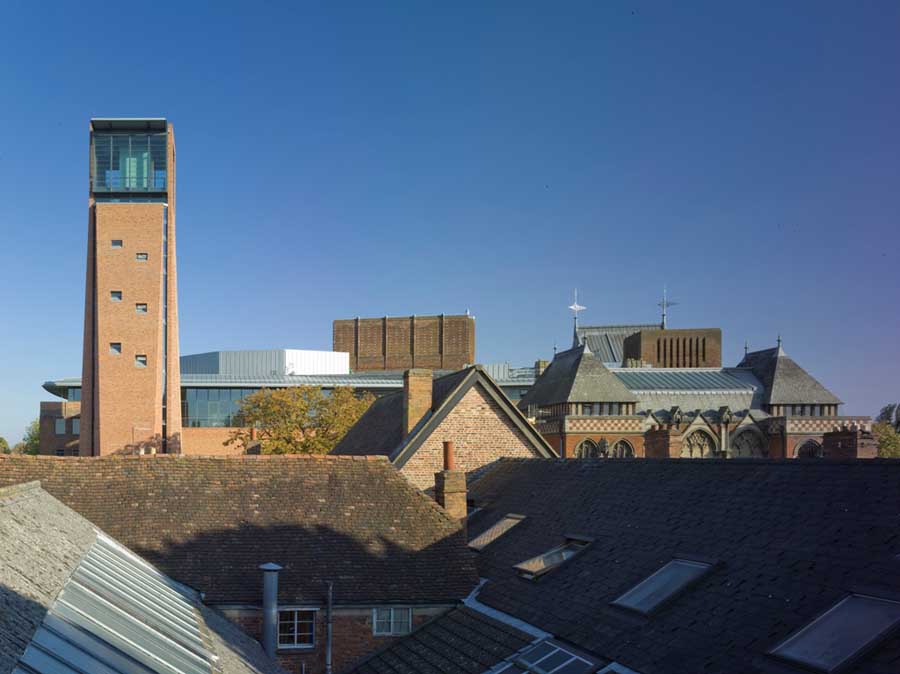
Speed Dating in Stratford-upon-Avon

Information on speed dating events in Stratford-upon-Avon and Warwickshire, aimed at single men and women across Herefordshire and the wider region. The page also serves as an introduction agency listing and points to free join options, photos, chat rooms, interest groups, and private webmail.
Locations covered include Stratford-upon-Avon itself as well as nearby towns such as Coventry, with references extending across Warwickshire.
New Jersey Singles & Professional Matchmaking

An overview of professional matchmaking services in New Jersey, highlighting personalized coaching and over 25 years of dating experience. The article describes how a matchmaker works to understand a client's relationship goals, gathers preferences on age range, height range, smoking status, financial security, and personality traits, then brings two people together with continued feedback.
How to connect a PlayStation 5 to a projector with 120Hz
Connecting a PlayStation 5 to a projector with 120Hz is simpler than the number of menus and labels suggests. The console can output 4K at 120Hz, but the projector, cable, receiver, input and selected game must all support the same timing. Otherwise, the picture may still work while silently dropping to 60Hz, reducing the benefit of a high refresh rate and increasing delay.
Start by choosing between two signal paths. A direct HDMI connection from the console to the projector gives the shortest route and keeps variable refresh rate (VRR) and Automatic Low Latency Mode (ALLM) under your control. An AV receiver is useful when surround speakers are involved, provided its HDMI inputs and outputs genuinely pass 4K120. Audio can travel separately over optical digital audio, allowing the video to bypass the receiver entirely.
Australian installations add several practical constraints. Australian mains power is 230V, and these products are commonly sold with AS/NZS 3112 Type I plugs. The console, projector and receiver should share a suitable surge-protected outlet. Ceiling-mounted projectors in Sydney, Melbourne, Brisbane, Perth and Adelaide often involve fixed wiring, which should be handled by a licensed electrician rather than improvised mains connections.
Buying locally also simplifies support. JB Hi-Fi, EB Games, Kogan and specialist AV retailers carry consoles, projectors and cables with local consumer support. Imported equipment over A$1,000 generally attracts GST unless the importer is GST-registered, and customs duty may also apply. Check the Australian Customs rules before ordering overseas, then avoid unsafe power arrangements, poor ventilation and permanent cabling that cannot be serviced.
Check what supports high refresh rates
Begin with the projector rather than the console. Confirm that its manual lists 120Hz input and the maximum resolution available at that refresh rate. A projector can be 4K yet accept only 60Hz, or accept 1080p120 through a PC-style mode. Both may suit different rooms, but 4K120 provides the strongest combination of detail and motion when the projector can genuinely accept it.
| Connection route | Refresh-rate potential | Audio handling | Best suited to |
|---|---|---|---|
| Direct HDMI 2.1 connection | 4K120 or 1080p120 when accepted by the projector | Optical or PCM audio to a receiver, or the projector's own speakers | Lowest delay and the simplest high-refresh path |
| Through an HDMI 2.1 receiver | 4K120 only through compatible receiver inputs and outputs | The receiver decodes surround formats | A complete 5.1 or 7.1 speaker system |
| Through a television or soundbar | Depends on 4K120, VRR and ALLM pass-through | Codec and lip-sync limitations | Simpler installations with extra processing |
| Through a converter or scaler | 120Hz only when the device supports the required format | Usually adds conversion and delay | Situations with no native high-refresh input |
HDMI 2.1 alone is not a guarantee. Bandwidth for 4K120, particularly at 10-bit or 4:4:4 colour, and support for VRR and ALLM all matter. Look for a projector input explicitly rated for the target mode and a receiver that supports 4K120 on the exact port you will use. Some devices advertise HDMI 2.1 while restricting high refresh to one input or limiting the output to 4K60.
Use a certified Ultra High Speed HDMI cable, preferably a short run between adjacent components or a high-quality in-wall cable for a ceiling location. Longer passive leads can become unreliable at 120Hz, so test the final permanent cable rather than a loose bench lead. For a long cabling weekend, a café-style drink made with hazelnut and date milk can sit beside the manual while each connector is labelled.
A PS5 Slim supports up to 4K120, while the PS5 Pro adds higher-resolution options without making 8K practical for most projectors. A game must support its high-frame-rate mode, and some titles render 120fps at a lower resolution. Check that the projector supports HDCP 2.3 and the appropriate VRR range over the chosen input. Strong Australian sunlight can also wash out a projected image, so blackout blinds or an ambient-light-rejecting screen may matter more than a small increase in claimed brightness.
Choose direct or receiver-based connections
For the cleanest direct setup, connect the PS5 HDMI output to the projector's high-refresh HDMI input, then select that input and enable Game Mode or low-latency mode. Keep the PS5 and projector on separate video paths if the projector also handles sound: run an optical cable from the PS5 optical output to the receiver optical input. The receiver then drives the centre, front, surround and subwoofer channels. A PS5 does not provide an eARC return path, so its game audio must be taken from the console itself.
If the receiver should handle both video and sound, connect the PS5 to a receiver input labelled 4K120 and the receiver's matching HDMI output to the projector. Assign the input in the receiver menu, enable enhanced HDMI formats where offered, and switch the projector to the correct input. Automatic input switching and HDMI-CEC can be helpful, although they can also select the wrong source when a Foxtel set-top box or another console is connected.
Keep satellite and Pay TV as separate sources rather than routing the PS5 through a set-top box. Australian homes often have a Foxtel receiver or satellite dish alongside a game console; its HDMI lead can enter another receiver input or the projector's spare port. For cable management, use labelled leads, reusable hook-and-loop ties and conduit approved for in-wall use. Avoid stapling signal cables tightly, bending them sharply or running projector leads through a hot ceiling cavity.
Configure the console, projector and remote
On the PS5, open Settings, then Screen and Video Output. Set 4K Video Resolution to Automatic or 2160p, choose the highest available HDMI Signal Format, set 120Hz Output to Automatic or On, and leave VRR on Automatic. Enable ALLM if the projector or receiver supports it. Save the console's 120Hz configuration as a game profile where available, because the correct output settings can then be applied when a supported title starts.
On the projector, choose the native resolution and refresh-rate combination listed for that HDMI port. Game Mode may disable colour processing and reduce input lag, while a separate 120Hz PC mode may be required for 1080p120. If 4K120 is missing, update the projector's firmware, try another compatible HDMI port and confirm that the console is not reporting a lower mode through EDID. A 4K60 picture is acceptable when that is the projector's real ceiling; forcing an unsupported mode produces black screens, flicker or repeated handshaking.
Remote control deserves a separate check because HDMI-CEC names such as Simplink, Anynet+ and Control HDMI are inconsistent between brands. A programmed universal remote setup can control an AV receiver and projector, but many learning remotes cannot wake a PS5 or reproduce every DualSense button; use the included controller for those functions. Disable HDMI control on the receiver if it changes inputs unexpectedly, then test power-on, volume and source selection with the projector and receiver switched off.
Add surround sound and a second zone
For surround sound, set the receiver's HDMI input and output to the highest HDMI format the hardware supports, enable lip-sync adjustment and choose the audio format expected by the amplifier. The base PS5 can send Dolby TrueHD, Dolby Atmos and DTS-HD Master Audio when the receiver decodes them; PCM 2.0 is the dependable fallback. Test with a game mix first because menus, streaming video and gameplay can expose different decoder and bandwidth behaviour.
Wire each speaker to the matching receiver channel and check polarity at both ends. Use the manual's impedance limits, and never connect a passive speaker whose impedance or power handling is unsuitable for that amplifier channel. An additional stereo pair with its own amplifier is safer than overloading the main channels. Long runs through an Australian home can also collect dust, while hot ceilings need unobstructed airflow around the projector and its power supply.
An open-plan Sydney or Melbourne living room may suit rear-height speakers, while a smaller Brisbane apartment often benefits from compact bookshelf speakers and a subwoofer placed near a wall. A zone 2 setup can add music to a kitchen or dining area through the receiver's second zone, provided the model supports the feature and the zone has suitable speakers. Zone 2 remains a separate listening area; it does not add surround channels to the PS5 game.
Test, troubleshoot and finalise the installation
Test with a game that offers 120fps, not only the PS5 dashboard. The projector's information display should show the intended resolution and 120Hz, while the receiver should indicate the expected 4K120, HDR or enhanced-format status. Check VRR by moving a camera in-game: tearing should be absent, and input lag should feel lower than the same game at 60Hz. Then test optical audio, every surround speaker, the subwoofer and the second zone.
If there is no 120Hz option, work through the chain in order: update PS5 and projector firmware, inspect the HDMI port labels, reseat both ends of the cable and review EDID, HDCP and VRR settings. A direct projector test isolates the receiver from the equation. For a black screen, power-cycle the projector and PS5, then try a known-good input. Factory-reset the projector or receiver only after simpler checks, since resetting can clear useful input assignments.
Budget for the parts that affect reliability rather than chasing a large specification sheet. A ceiling mount, certified cable, surge protection and professional installation can cost more than the projector, while a discount cable can spoil the entire chain. Comparing essentials with optional extras is sensible budgeting, much like the distinctions made in guides to dating costs. Obtain quotes from Australian AV installers and check the warranty treatment for locally bought and imported equipment.
- Label each HDMI lead at both ends and record which receiver input carries 4K120.
- Confirm 120Hz in the projector's on-screen display with a compatible game.
- Save separate 4K120 and 4K60 profiles for games with different output modes.
- Keep the shortest available signal path or disable receiver processing that adds lag.
- Leave power, ventilation and cooling access serviceable after the cables are hidden.
When the display reports the intended high-refresh mode, games run smoothly and audio arrives without delay, the installation is ready for regular use rather than constant menu adjustments.
Legitimate Cougar Dating Sites

A guide to finding legitimate cougar dating sites, avoiding scams, and getting good results on platforms such as CougarDate.com, Cougar Life, and Adult FriendFinder. The article lists seven cougar dating sites, examines whether CougarDate.com is a scam, and includes a separate list of free dating and hookup sites.
Olympic Ice Skating Pairs and Romances

An article discussing prominent figure skating romances, marriages, and couples among Olympic ice skating pairs. It profiles eight Olympic ice skating pairs who are couples in real life and explains the required elements of pair skating, including lifts, twist lifts, throw jumps, jumps, and spins.
Expat Dating in Baku

A guide for expatriates looking to date in Baku, Azerbaijan. Topics include social life for expats, safety and comfort in areas like Downtown Baku, the visa process, getting around by mass transit, and monthly events for expatriates. The piece also references Baku hotels and places to stay.
Reformed Matchmaking and Jewish Dating

Content related to Reformed matchmaking, JRetroMatch, and Jewish matchmaking services within the context of religious observance. The article discusses Reform Judaism, the spectrum of positions on halakhic observance, and looks at how matchmaking functions within observant communities.
Age Gap Dating Advice

A discussion on age preferences in dating, referencing research guidelines and personal experiences with age-gap relationships. The piece references Psychology Today and examines whether one well-known age guideline may not work for everyone, along with personal anecdotes from readers.