Steve Platt collects articles and notes on online dating services, professional matchmaking, speed dating events, and relationship advice for a range of locations and demographics.
"If you want a more personal approach to finding matches than online dating provides, consider enlisting the help of a professional matchmaker."
The site covers speed dating events in Stratford-upon-Avon and Warwickshire, New Jersey singles and professional matchmaking with over 25 years of dating experience, the costs of online dating services including eharmony and Badoo, a guide to legitimate cougar dating sites and avoiding scams, an article on Olympic ice skating pairs and figure skating romances, and a guide for expat dating in Baku, Azerbaijan.
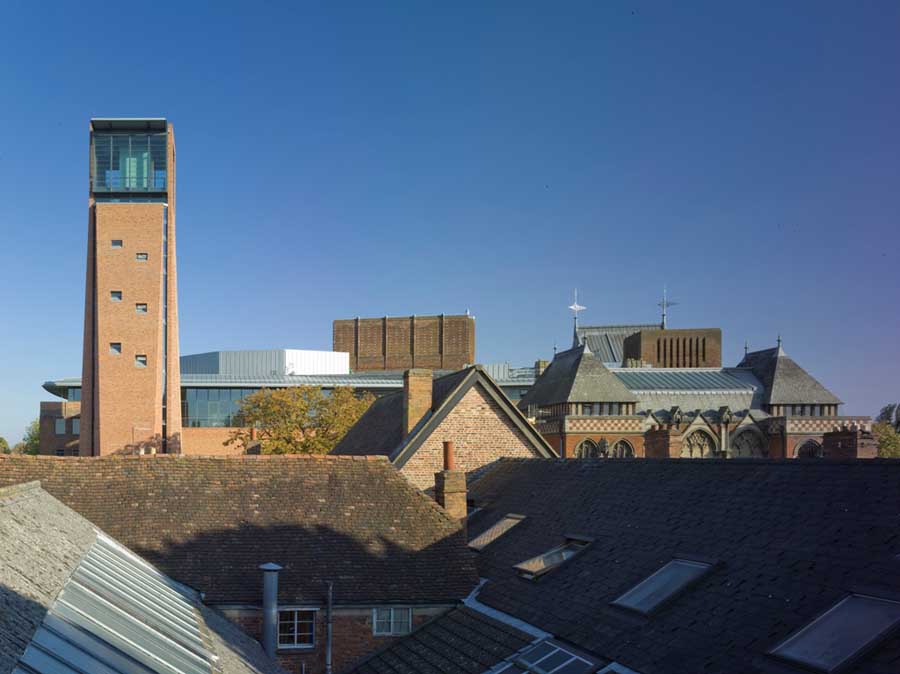
Speed Dating in Stratford-upon-Avon

Information on speed dating events in Stratford-upon-Avon and Warwickshire, aimed at single men and women across Herefordshire and the wider region. The page also serves as an introduction agency listing and points to free join options, photos, chat rooms, interest groups, and private webmail.
Locations covered include Stratford-upon-Avon itself as well as nearby towns such as Coventry, with references extending across Warwickshire.
New Jersey Singles & Professional Matchmaking

An overview of professional matchmaking services in New Jersey, highlighting personalized coaching and over 25 years of dating experience. The article describes how a matchmaker works to understand a client's relationship goals, gathers preferences on age range, height range, smoking status, financial security, and personality traits, then brings two people together with continued feedback.
How to connect a Blu-ray player to a projector with no HDMI
Using a Blu-ray player with a projector that has no HDMI is usually a matter of matching one video standard and deciding where the sound should be decoded. The most reliable arrangement is component video from the player to the projector, with stereo or surround sound handled separately. If the player has HDMI only, an active HDMI-to-component converter can bridge the gap, although copy protection and limited converter support may prevent some discs from displaying.
Start with the equipment already in the cupboard rather than buying immediately. An Aussie lounge room may contain a Foxtel satellite receiver, a home theatre receiver, older RCA leads and a projector bought before HDMI became common. NBN and streaming services are useful alternatives to a disc player, but internet access does not create a missing video input. Check the physical sockets on each device, then decide whether the receiver or projector should handle sound and switching.
Compare the video connections you already have
Read the labels on the back of both devices before choosing a cable. A Blu-ray player may offer HDMI, component video, composite video and analogue audio. Projectors commonly provide component or composite inputs, although some only have VGA. VGA is designed for computer graphics and is not a convenient way to carry a Blu-ray video signal, so it should not be the first choice.
Search results and promotional links such as the current trends feed are no substitute for those labels. The useful comparison is between native component, native composite and digital conversion, with sound considered as a separate connection.
- Component video, also called YPbPr, uses green, blue and red RCA plugs. It is the best legacy option for picture quality, provided both devices support a compatible resolution.
- Composite video uses one yellow RCA plug. It is simpler, but fine detail, colour bleed and interference are more noticeable.
- An HDMI converter is useful when the player is HDMI-only. Buy an active model with the required output, supported resolution and compatible HDCP handling.
- Analogue stereo uses red and white RCA plugs. Optical or coaxial digital audio is better for a receiver that can decode surround formats.
If an AV receiver has component inputs and component outputs, it can sit between the player and projector: player to receiver, then receiver to projector. If it lacks the matching sockets, connect the player directly to the projector and route only the audio to the receiver. An Australian shopper at JB Hi-Fi, Harvey Norman or The Good Guys should check local stock and the Australian warranty, since a cheap overseas converter may have no local support.
Wire the video path
Start with native component video if both devices offer it. Connect the player’s green, blue and red outputs to the matching green, blue and red inputs on the projector; do not rely on colour names alone because some receivers label component as Y, Pb and Pr. Select Component or 1080i on the player if the manual allows it, then choose the same input on the projector. Keep the player’s resolution set to a standard the projector can display, because a higher setting can result in no picture rather than a sharper one.
Composite is the fallback when component is missing. A yellow-to-yellow RCA lead carries video only, so the red and white audio plugs still need somewhere to go. Set the player to 576i or 480i where required and expect a softer image, especially on a large screen. Do not mistake a component cable for composite: all three component plugs must terminate at a YPbPr input, and the yellow lead cannot be moved to a green socket to make a connection.
If the player has HDMI but no analogue video output, an active converter is the practical option. Confirm that it converts to YPbPr component, not merely yellow composite, and check its maximum resolution, audio extraction and HDCP behaviour. Some discs and players still refuse to pass an image through a particular converter. Run the power lead and signal cable separately, test the short setup first, then extend it. Brick Australian homes often need 10 to 15 metre component leads, so buy shielded cable rather than joining several short RCA leads. Pages such as the expat dating page are unrelated to this wiring and should not be mistaken for part of the signal chain.
Send sound to the receiver and speakers
Video and sound do not have to follow the same route. If the projector has built-in speakers, connect the player’s red and white analogue outputs to the projector’s corresponding audio inputs, then select the right input on both units. This gives stereo sound, but projector speakers are usually too small for a proper home theatre. A soundbar is better if the receiver cannot provide suitable amplified speaker outputs.
For surround sound, send digital audio from the player’s optical or coaxial output to the home theatre receiver. The receiver decodes Dolby or DTS, powers the surround speakers and provides the amplifier channels. Connect a stereo line-level receiver output, such as Zone 2 or pre-out, to the projector for picture-related sound, or leave the projector’s speakers off if all programme audio comes through the amplifier. If the player offers only analogue multi-channel outputs, use the coloured 3.5 mm or RCA-to-RCA leads and match every channel position; most modern players instead provide downmixed stereo on analogue.
An Australian home often uses a Foxtel set-top box alongside a disc player, so check which source feeds the receiver at the time. The dish and its coax cable carry a radio-frequency signal and cannot be plugged into the projector’s video input. Use the set-top box’s own HDMI, component or composite output instead, and label the input accordingly. Equipment sold through Australian retailers must work on 230-volt, 50-hertz mains with Type I plugs, so check the power supply and avoid a foreign adaptor that cannot carry the projector’s load. The unrelated dating cost breakdown on this site offers no useful guide to an AV budget; prioritise a converter with local support over a novelty cable bundle.
Configure the picture and sound
Once the signal appears, configure the projector rather than leaving it on factory settings. Choose the correct source, match the screen ratio to the projector, and use lens shift or keystone correction only as much as necessary. Overscan should be off where the option exists, because it hides picture edges. For a 16:9 Australian home theatre screen, set the source and projector to 16:9 rather than stretching a 4:3 image.
- Picture mode: use a mode intended for dark rooms and adjust brightness, contrast and colour with familiar content.
- Resolution: choose the projector’s native or supported aspect ratio and a source resolution it can accept.
- Field and frame rate: use progressive only when both the player and projector support it; otherwise leave the source in a compatible interlace mode.
- Overscan and geometry: fill the screen without cutting off menus, subtitles or picture edges.
On the receiver, select the assigned input and the correct decoding mode, such as Dolby Surround, rather than forcing stereo on a surround track. Run the receiver’s test tones or channel test, set speaker levels, and listen for dialogue at a normal seat reference. Check lip sync if the player and receiver process video differently. If the projector handles the picture directly, volume control at the projector affects only its own speakers, not the powered surround system.
A Blu-ray player’s network functions may be enough for streaming without any video connection at all, but an HDMI-only streaming box still needs a converter when the projector lacks HDMI. Australian NBN plans, fixed-line broadband and 5 GHz Wi-Fi are widely available, though household internet performance and NBN equipment do not change the analogue video limits. For shared setup records, the SharePoint community notes may help with publishing and collaboration, but the final resolution, aspect and surround settings must still be confirmed on the hardware.
Troubleshoot the signal and organise the cables
If there is no picture, work from source to display. Confirm the player is playing, the projector is on the expected input and any converter has power. If component worked previously but disappeared after HDMI was connected, disable HDMI or unplug it, restart the player and check its output menu. A black screen from an HDMI converter often means HDCP incompatibility rather than a faulty projector. Green or pink pictures usually indicate component leads connected to the wrong sockets; switch off the equipment before changing them. For missing sound, verify the selected audio output, receiver input, mute state and decoding mode before assuming a speaker fault.
Label both ends of every lead with the source and input, then bundle excess cable loosely with reusable ties. Keep signal runs away from mains cables where practical, leave a small service loop at each connector and do not create tight coils around power leads. In coastal homes around the Gold Coast, Sydney or Perth, salt and damp can corrode loose connectors, so push fitted plugs fully home and inspect them during a dry spell. Australian fixed wiring is 230 volts; if a socket or cable is damaged, a local sparky should repair it. Do the testing before the arvo footy starts, not when guests are arriving.
Finally, play a scene with fine detail, white text and full-screen movement, then check every speaker and control from the normal listening position. The finished chain should have one clearly selected source, a stable picture without cropped edges, synchronised dialogue and the intended surround mode. Additional material in the site’s broader article collection can help with general terminology, but the player’s manual, the receiver’s input map and the projector’s supported timings remain the authoritative references for this installation.
Legitimate Cougar Dating Sites

A guide to finding legitimate cougar dating sites, avoiding scams, and getting good results on platforms such as CougarDate.com, Cougar Life, and Adult FriendFinder. The article lists seven cougar dating sites, examines whether CougarDate.com is a scam, and includes a separate list of free dating and hookup sites.
Olympic Ice Skating Pairs and Romances

An article discussing prominent figure skating romances, marriages, and couples among Olympic ice skating pairs. It profiles eight Olympic ice skating pairs who are couples in real life and explains the required elements of pair skating, including lifts, twist lifts, throw jumps, jumps, and spins.
Expat Dating in Baku

A guide for expatriates looking to date in Baku, Azerbaijan. Topics include social life for expats, safety and comfort in areas like Downtown Baku, the visa process, getting around by mass transit, and monthly events for expatriates. The piece also references Baku hotels and places to stay.
Reformed Matchmaking and Jewish Dating

Content related to Reformed matchmaking, JRetroMatch, and Jewish matchmaking services within the context of religious observance. The article discusses Reform Judaism, the spectrum of positions on halakhic observance, and looks at how matchmaking functions within observant communities.
Age Gap Dating Advice

A discussion on age preferences in dating, referencing research guidelines and personal experiences with age-gap relationships. The piece references Psychology Today and examines whether one well-known age guideline may not work for everyone, along with personal anecdotes from readers.